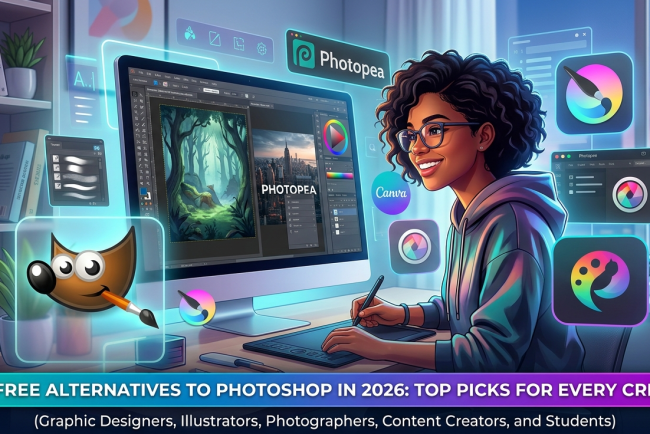
Best Free Alternatives to Photoshop in 2026: Top Picks for Every Creator
Discover the best free alternatives to Photoshop in 2026. Compare Photopea, GIMP, Krita, Pixlr, Canva, and Paint.NET to find the right photo editor.
Adobe Photoshop has long been considered the industry standard for photo editing and graphic design. It offers powerful tools for photographers, designers, marketers, and digital artists. However, not everyone needs every feature Photoshop provides, and its subscription cost can be difficult to justify for students, freelancers, hobbyists, or small businesses.


Fortunately, many best free alternatives to photoshop deliver impressive editing capabilities without requiring a monthly subscription. Whether you need to edit photos, create social media graphics, design marketing materials, or work with PSD files, several free tools can handle everyday creative tasks with ease.
This guide explores the top free Photoshop alternatives in 2026, compares their strengths, and helps you choose the right editor based on your experience and creative needs.
Why Look for a Free Alternative to Photoshop?
People search for Photoshop alternatives for different reasons, but affordability is usually the biggest factor. Photoshop's subscription model works well for professionals, yet many users only need basic or occasional editing tools.
Free alternatives also offer other advantages:
- No monthly subscription fees
- Beginner-friendly interfaces
- Fast installation or browser access
- Reliable editing tools for personal and business use
- Excellent options for students and content creators
Many modern editors now include layers, filters, masking, AI-powered features, and PSD compatibility, making them suitable for a wide range of creative projects.
What to Look for in a Photoshop Alternative
Not every free editor offers the same features. Before choosing one, consider how you plan to use it.
Important features include:
- Layer-based editing
- PSD file support
- Brush and drawing tools
- AI-powered editing features
- Export options for multiple file formats
- User-friendly interface
- Performance on your operating system
- Regular updates and active community support
Choosing software that matches your workflow will save time and improve your editing experience.
Best Free Alternatives to Photoshop in 2026
1. Photopea
Photopea has become one of the most popular browser-based image editors available today. It closely resembles Photoshop's interface, making it an excellent option for users already familiar with Adobe products.
Best For
Designers and marketers who want Photoshop-like editing without installing software.
Key Features
- Opens PSD files
- Layer editing
- Smart objects
- Text editing
- Browser-based access
Pros
- No installation required
- Works on Windows, Mac, and Linux
- Supports multiple file formats
Limitations
- Advertisements appear in the free version.
- Performance depends on your internet browser.
2. GIMP
GIMP is one of the oldest and most respected open-source image editors. It offers professional editing tools suitable for photographers and advanced users.
Best For
Experienced users looking for advanced editing capabilities.
Key Features
- Advanced photo editing
- Layer masks
- Custom plugins
- Extensive brush library
- Open-source platform
Pros
- Completely free
- Highly customizable
- Large community support
Limitations
-
Interface can feel overwhelming for beginners.
3. Krita
Krita was originally designed for digital artists, but it also performs well for image editing and illustration.
Best For
Illustrators, comic creators, and digital painters.
Key Features
- Professional brush engine
- Layer management
- Drawing assistants
- Animation support
Pros
- Excellent drawing tools
- Free and open source
- Active development
Limitations
-
Less suitable for heavy photo retouching.
4. Pixlr
Pixlr is a cloud-based photo editor that focuses on speed and simplicity. It works well for users who need quick edits without downloading software.
Best For
Social media creators and beginners.
Key Features
- AI-powered background removal
- Templates
- Filters
- One-click editing
Pros
- Easy to learn
- Works directly in a browser
- Fast editing
Limitations
-
Some advanced features require a paid plan.
5. Canva
Canva has evolved far beyond presentation design. Today it offers practical photo editing features alongside thousands of templates for marketing and social media.
Best For
Business owners, marketers, and content creators.
Key Features
- Drag-and-drop editor
- AI-powered tools
- Background remover
- Brand kits
- Social media templates
Pros
- Extremely beginner friendly
- Excellent collaboration features
- Large template library
Limitations
-
Limited advanced photo editing tools compared to Photoshop.
6. Paint.NET
Paint.NET remains a reliable Windows application for users who want lightweight editing software.
Best For
Windows users needing simple image editing.
Key Features
- Layer support
- Effects
- Plugin support
- Fast performance
Pros
- Lightweight
- Easy interface
- Free for Windows users
Limitations
- Windows only.
Comparison: Best Free Photoshop Alternatives
Here's a quick overview of what each tool offers and who it's best suited for:
Photopea
- Best for users who want a Photoshop-like experience.
- Supports PSD files and advanced layer editing.
- Works directly in your web browser.
- Great for beginners and professionals alike.
GIMP
- Best for advanced photo editing and graphic design.
- Offers powerful editing tools and customization options.
- Desktop software available for Windows, macOS, and Linux.
- Better suited for users with some editing experience.
Krita
- Best for digital artists, illustrators, and comic creators.
- Includes a professional brush engine and drawing tools.
- Free and open-source software.
- Less focused on photo retouching than Photoshop.
Pixlr
- Best for quick online photo editing.
- Includes AI-powered editing features and templates.
- No software installation required.
- Beginner-friendly with an easy-to-use interface.
Canva
- Best for social media graphics, presentations, and marketing materials.
- Offers thousands of ready-made templates.
- Browser-based with collaboration features.
- Ideal for beginners and business users.
Paint.NET
- Best for Windows users looking for lightweight editing software.
- Supports layers, effects, and plugins.
- Easy to learn and fast to use.
- Suitable for basic to intermediate photo editing.
Which Photoshop Alternative Is Right for You?
Choosing the right editor depends on your goals.
- Photopea is ideal if you want a Photoshop-like experience.
- GIMP suits advanced users who need complete editing control.
- Krita is perfect for artists and illustrators.
- Pixlr is excellent for quick online edits.
- Canva works best for business graphics and social media.
- Paint.NET is a great lightweight option for Windows users.
Instead of searching for the most feature-rich software, choose the one that matches your daily workflow.
Free vs. Paid Photo Editing Software: What's the Difference?
Free software has improved significantly over the past few years. Many tools now include features once reserved for premium applications.
Paid software generally offers:
- Advanced AI tools
- Professional RAW editing
- Better cloud integration
- Commercial asset libraries
- Dedicated customer support
For many users, however, free editors provide everything needed for personal projects, blogging, marketing, and small business design work.
Tips for Choosing the Best Free Photo Editing Tool
Before downloading any software, keep these practical tips in mind:
- Choose a tool that matches your experience level.
- Consider whether you prefer desktop or browser-based editing.
- Check if it supports PSD files.
- Look for active updates and community support.
- Test several editors before deciding on one.
- Prioritize ease of use over the number of features.
The best editor is the one that helps you complete your work efficiently.
Final Thoughts
Finding the best free alternatives to photoshop has never been easier. Whether you're editing product photos, creating social media graphics, designing illustrations, or managing business content, there are excellent free tools available for every skill level.
Photopea stands out for users who want a Photoshop-like experience, while GIMP offers professional-grade editing without licensing costs. Canva simplifies graphic design for marketers, Krita serves digital artists, Pixlr provides fast online editing, and Paint.NET remains a dependable choice for Windows users.
The right software ultimately depends on your creative goals, technical experience, and preferred workflow. Trying a few of these tools is the best way to discover which one fits your needs and helps you create high-quality visuals without paying for expensive software.
Frequently Asked Questions
1. What is the best free alternative to Photoshop?
Photopea is widely considered one of the best free alternatives because it supports PSD files and offers an interface similar to Photoshop.
2. Can free Photoshop alternatives open PSD files?
Yes. Photopea provides excellent PSD compatibility, while GIMP and some other editors offer limited support.
3. Which free photo editor is best for beginners?
Canva and Pixlr are excellent choices for beginners thanks to their intuitive interfaces and simple editing tools.
4. Is GIMP better than Photoshop for beginners?
Not necessarily. GIMP is powerful but has a steeper learning curve. Beginners often find Canva, Pixlr, or Photopea easier to use.
What's Your Reaction?